
Python代码:运动数据可视化
第一步,导入gpx文件,
第二步,放入python脚本同目录文件夹,
第三步,运行python脚本。
Zwift_Yorkshire_Double_Loop_in_Yorkshire.gpx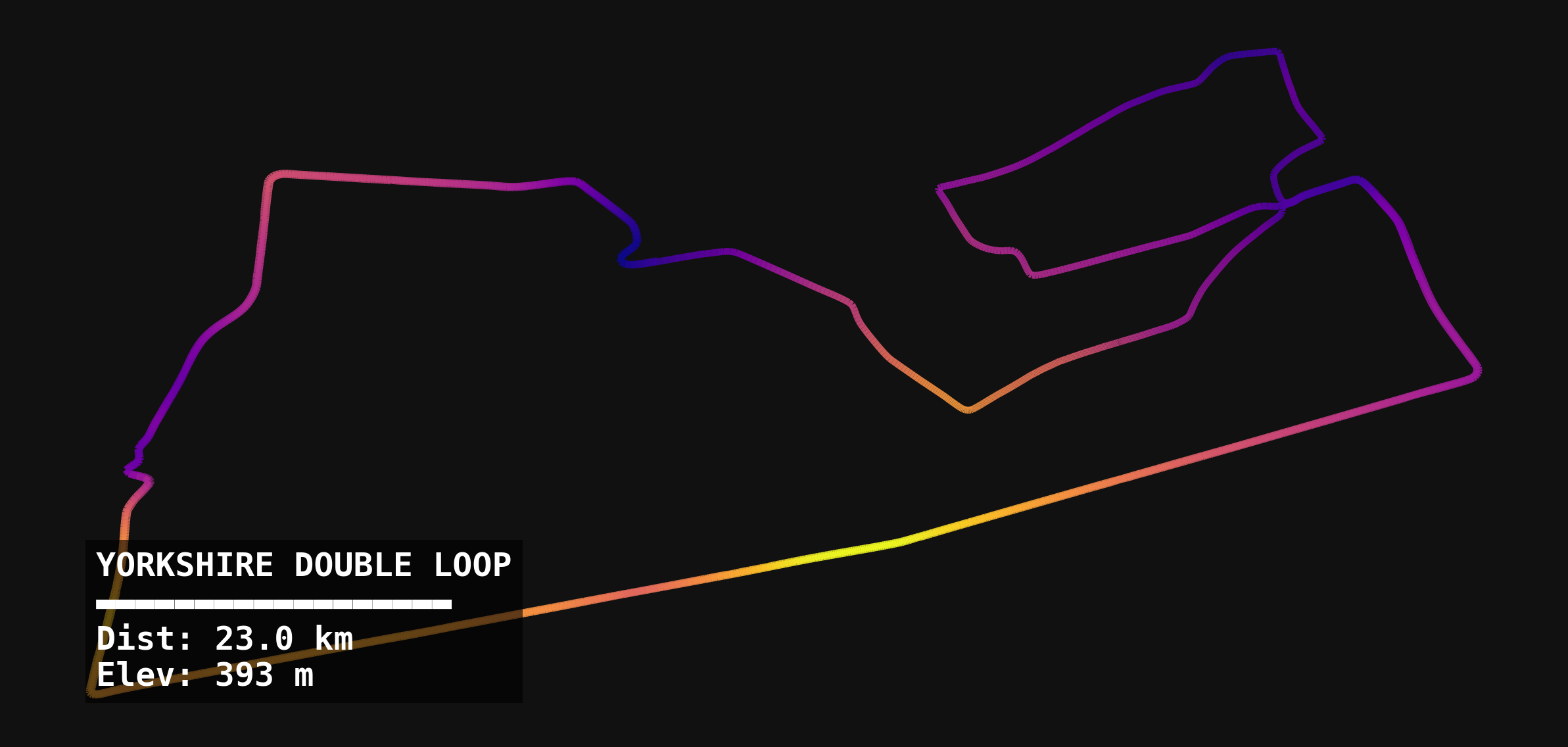
import matplotlib.pyplot as plt
import matplotlib.collections as mcoll
import numpy as np
import xml.etree.ElementTree as ET
import math

# --- 1. 读取 GPX 文件 ---
file_path = "Zwift_Yorkshire_Double_Loop_in_Yorkshire.gpx"  # 请确保文件名一致

def parse_gpx(path):
    tree = ET.parse(path)
    root = tree.getroot()
    ns = {'gpx': 'http://www.topografix.com/GPX/1/1'} # GPX 命名空间

    lats, lons, eles = [], [], []

    for trkpt in root.findall('.//gpx:trkpt', ns):
        lats.append(float(trkpt.get('lat')))
        lons.append(float(trkpt.get('lon')))
        ele = trkpt.find('gpx:ele', ns)
        eles.append(float(ele.text) if ele is not None else 0.0)

    return np.array(lats), np.array(lons), np.array(eles)

lats, lons, eles = parse_gpx(file_path)

# --- 2. 简单的距离计算 (用于显示) ---
def haversine_distance(lat1, lon1, lat2, lon2):
    R = 6371.0 # 地球半径 km
    dlat = np.radians(lat2 - lat1)
    dlon = np.radians(lon2 - lon1)
    a = np.sin(dlat / 2)**2 + np.cos(np.radians(lat1)) * np.cos(np.radians(lat2)) * np.sin(dlon / 2)**2
    c = 2 * np.arctan2(np.sqrt(a), np.sqrt(1 - a))
    return R * c

dists = haversine_distance(lats[:-1], lons[:-1], lats[1:], lons[1:])
total_dist_km = np.sum(dists)
total_gain_m = np.sum(np.maximum(np.diff(eles), 0))

# --- 3. 绘图 (仿照参考图风格) ---
plt.style.use('dark_background') # 启用深色模式
fig, ax = plt.subplots(figsize=(10, 10))

# 创建渐变线条段
points = np.array([lons, lats]).T.reshape(-1, 1, 2)
segments = np.concatenate([points[:-1], points[1:]], axis=1)

# 设置颜色映射 (使用 'cool' 或 'plasma' 来获得赛博朋克感)
# 这里的颜色将根据海拔高度变化:低处为冷色,高处为暖色
norm = plt.Normalize(eles.min(), eles.max())
lc = mcoll.LineCollection(segments, cmap='plasma', norm=norm, linewidth=2.5, alpha=0.9)
lc.set_array(eles)
ax.add_collection(lc)

# 调整比例和移除坐标轴
ax.autoscale()
ax.set_aspect('equal')
ax.axis('off')

# 添加数据水印 (左下角)
info_text = (
    f"YORKSHIRE DOUBLE LOOP\n"
    f"▬▬▬▬▬▬▬▬▬▬▬▬▬▬▬▬▬▬\n"
    f"Dist: {total_dist_km:.1f} km\n"
    f"Elev: {total_gain_m:.0f} m"
)
plt.text(0.05, 0.05, info_text, transform=ax.transAxes,
         color='white', fontsize=12, fontfamily='monospace', fontweight='bold',
         verticalalignment='bottom', bbox=dict(facecolor='black', alpha=0.6, edgecolor='none'))

# 保存图片
output_filename = "Yorkshire_Track_Viz.png"
plt.savefig(output_filename, dpi=300, bbox_inches='tight', pad_inches=0.1, facecolor='#111111')
plt.show()

print(f"可视化图片已生成: {output_filename}")
赞 (0) 如果觉得有用,请点个赞支持作者!